I’m adding this to share my thoughts, especially the quirks that QBJS 0.10.0 has at the time of writing.
Constants
All consts in QBJS should not have sigil suffixes:
const maxHealth=100const vgaWidth=320' Valid in QB64 but not in QBJSconst maxHealth%=100const vgaWidth&=320
The interpreter will throw an error if you add a suffix. An example error message is something like this:
ERROR : 0 : Missing initializer in const declaration
This is due to how dynamic typing is implemented in its backend language (JS)
Variables
This of QBJS as a QB64-to-JS transpiler with the full power of JS
This makes dynamic typing possible, which is similar to Lua
Known Issue
Some variables with the system prefix may cause the transpiler to break
For example, with the name systemFont being used as a variable:
dim as TBMFont systemFont
This will cause the transpiler to sometimes produce an incomplete object string in JS, but this only happens occasionally
If this happens, just reorder your variable declarations — there may be occasional ordering-dependent bugs in the QBJS-to-JS transpiler
Image Handling
Image handles start at 1000 instead of a negative value
With the same example code
Option _ExplicitDim As Long imgGasolineMaidimgGasolineMaid=_LoadImage("IMG\gasoline_maid_256px.png")Print "image handle:", imgGasolineMaid_FreeImage imgGasolineMaid
This is the comparison: QB64:image handle: -10 QBJS:image handle: 1000
Non-existent image
Loading a non-existent image is also possible, which is dangerous:
Option _ExplicitDim As Long imgInvalidimgInvalid=_loadImage("invalid_image.jpg")Print "image handle:", imgInvalid
Output (QBJS):
image handle: 1000
This can be prevented with the _FileExists statement
Option _ExplicitDim As Long imgInvalidIfNot_FileExists("invalid_image.jpg")Then Print "Invalid image doesn't exist!"ElseimgInvalid=_LoadImage("invalid_image.jpg") Print "image handle:", imgInvalidEnd If
Output:
Invalid image doesn't exist!
Precompiler
$Let doesn’t work with QBJS
$If precompiler only works with either:
$If WEB then
$If Javascript then
Use $If WEB to use the functionalities that only exist in QBJS
Option _Explicit$if WEB thenimport console from "lib\web\console.bas"console.log"Hello QBJS!"$elseprint "Hello QB64!"$endif
Use $If Javascript block to execute any JS code in it:
Option _ExplicitDim As Long a, b, c$if javascript thena=1b=2c= a+ b$endifprint c
Output:
3
This makes it possible to use fetch API and BigInt along with QB64
Console / Debugging
$Debug and any Log statements (_LogError, _LogWarn, _LogTrace, and so on) don’t work in QBJS
Instead, use the Console import
Option _Explicit$if web thenimport console from "lib\web\console.bas"console.log"Hello QBJS!"console.warn "This is a warning"console.error "This is an error log"$endif
This makes it possible to use console in QBJS, but since everything is async under the hood, using console.log in Javascript context will throw an error
Function Return Value
Since QBJS uses JavaScript as its backend, it can return an object, or even a UDT
Option _ExplicitType TCat name AsString colour AsStringEnd TypeDim cat AsTCatcat=newCat("Honey", "orange")Print cat.name, cat.colour' implementationFunctionnewCat(name$, colour$)Dim c AsTCat c.name= name$ c.colour= colour$newCat= cEnd Function
This makes it similar to VBScript but with full browser support
Module System
QBJS is more like the OOP in JS, which makes it also similar to Lua
MAIN.BAS
import console from "lib\web\console.bas"import YourModule from "modules\hi.bas"YourModule.sayHiprint YourModule.add(2, 3)
MODULES\HI.BAS
option _explicitexport sayHi, addsub sayHi print "Hi from another module!"end subfunctionadd(a, b)add= a+ bend function
JavaScript Interop
(TBA)
Sound Handling
(TBA)
MapTriangle
It’s not possible to use _MapTriangle statement in QBJS, so drawing a rotated image + scaled image is still a dream at the moment of writing
ByRef or ByVal?
QBJS always uses pass-by-value instead of pass-by-reference like what QB64 uses
Therefore, loadImage in QBJS returns a value instead of assigning to the target image handle
Boolean value
The values true & false can be used immediately from JS
The AND, OR, and NOT operators in QBJS use JS bitwise operators under the hood (Ref: https://qb64phoenix.com/forum/showthread.php?tid=3376)
import console from "lib\web\console.bas"console.log"What is TRUE? "+i32str(1>0)console.log"What is FALSE? "+i32str(1<0)
true is 1, false is 0
This makes casting to strings can be easier instead of using the usual STR$
console.log"What is TRUE? "+(1>0)
Not operator in QBJS
The transpiler uses the ~ operator under the hood, which basically flips all the bits in the 64-bit integer. This makes it harder to track a boolean value & an actual integer
So, instead of using the usual
IfNotisImageSet(imgHandle)ThenExit Sub
It’s better to use:
IfisImageSet(imgHandle)= falseThenExit Sub
But in my case of returning an integer (supposedly), I’ll use an integer return value instead of a boolean. Something like this:
Function isImageSet%(imgHandleAsLong)isImageSet=-(imgHandle>=1000)End Function
true is 1 in JS, while false is the same: 0
About _PutImage
Compared to QB64, it uses destX + destW - 1 and also destY + destH - 1 because of how the decrement is handled automatically under the hood
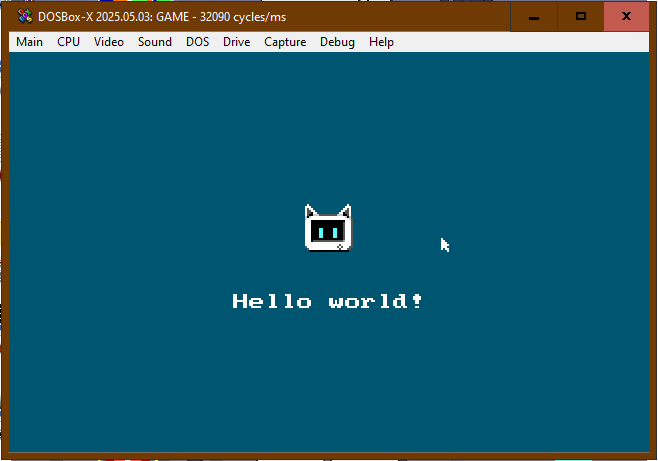
A DOS-based game dev framework that lets you create authentic retro games with Turbo Pascal 7 along with modern tooling such as VSCode.
It’s not just retro, but it’s a 100% authentic retro development framework with DOS as the operating system.
The features are comparable with fantasy consoles like PICO-8 and TIC-80, which features inspired me to make something similar.
Another inspiration is Terry A. Davis’ TempleOS, which is an experimental OS that looks very similar to DOS but can be run on a 64-bit computer with more than 8 cores running at the same time.
Run copy_units.ps1 to copy UNITS folder into boilerplate
Copy the boilerplate folder to your DOS drive
Rename the folder as your project’s name
FAQ
Q: What are the system requirements?
A: When running with Turbo Pascal, I recommend you to use DOSBox-X with Pentium 60MHz (32090 cycles/ms) as the default CPU speed
Q: How to use with modern tooling such as VSCode?
A: When using VSCode, it’s best to use the Pascal extension and also DOSBox ready with Turbo Pascal open, so that you can immediately detect file changes & compile with F9 key in the IDE
Q: How to make & use my own fonts?
A: You can either use BMFont (use the text output) or Fony (save the font as FNT)
The whole game was made within 10 days with Ruby, and the game engine is TIC-80. I had to buy the PRO version to get rid of the 64 KB code limit, but it was worth it xd (the whole codebase is in 1 file, which is almost 70 KB in size). Making a game with TIC-80 is both fun and challenging, but it’s mostly challenging due to the use of its virtual machine limitations.
WHen making the deadline version of the game, I didn’t have enough time to implement the whole storyline & the sound assets, so I focused on only making the first 2 days where (Spoiler alert!) Lilzy & Ethan reconcile.