In Turbo Pascal (TP7), const x = 1 is immutable (a true constant), while const x: integer = 1 is a variable in disguise
Example snippet:
const TestConst1 = 100; { this is immutable } TestConst2: integer = 200; { this is a variable in disguise }begin writeln(TestConst1); writeln(TestConst2);{ testconst1 := 200; }{ This causes an "error in statement" error} testconst2 := 300; writeln(TestConst1); writeln(TestConst2); readlnend.
But the behaviour is still expected like in Free Pascal: the compiler picks up the smallest type that can fit the value in, and makes it immutable
So,
const
  MaxSize = 100;
would fit in a Byte range and is immutable, while on the other hand,
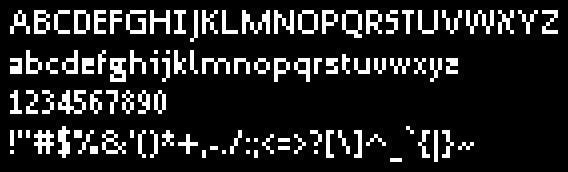
My motivation in creating this font is to make my own typeface for Posit-92 that I won’t have to worry about the licensing, especially that I like how Trebuchet MS looks with its iconic lowercase i, g and l
I decided to use Droid Sans because the licence is permissive enough to make a derivative of it
Some obvious changes are:
Capital letter i
Aleph-X, which I’m proud of, it is pretty iconic to me
Lowercase i, j, l
Number 1 with the “pedestal” thing
While the double-story letter g, I like to keep it that way
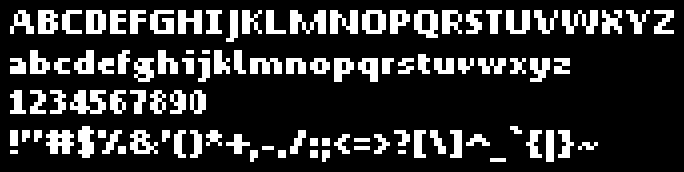
I hand-painted the bold version based on the regular version of Droid Sans because it’s a lot easier that way
And so, P92 Sans retains the Apache 2.0 licence from Droid Sans despite that I hand-painted at least 70% glyphs of the bold font
As Posit-92 continues to grow, I wanted a mascot with an identity closely tied to both to the engine itself and my usual branding
Short Background
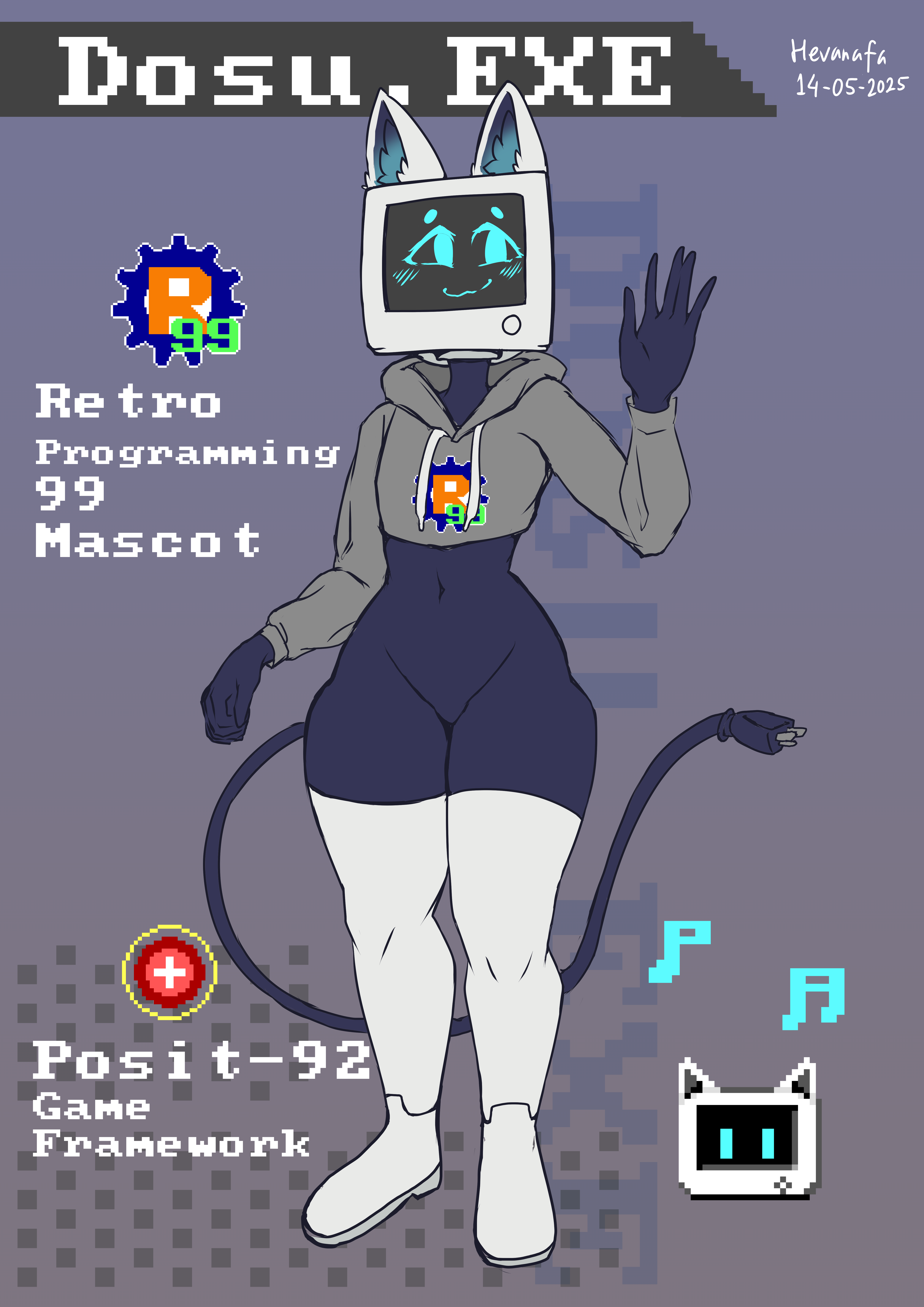
Back in May 2025, Dosu.EXE (or DOSU.EXE following the DOS filename style) became the first mascot of the project. He is still featured in the demo projects today
In July 2026, I decided to create a second mascot: Specimen P-92
She is a slime girl created to become the new face of Posit-92 going forward
Dosu.EXE will not be retired. Both characters will continue to represent the Posit-92 project
What’s next?
I’ll continue drawing illustrations, creating interactive demos, and maybe even some small animations and emotes, and if I want to go all in on the theme, a small game it is
In this page, I can show how easy it is to start programming games with Posit-92 Wasm
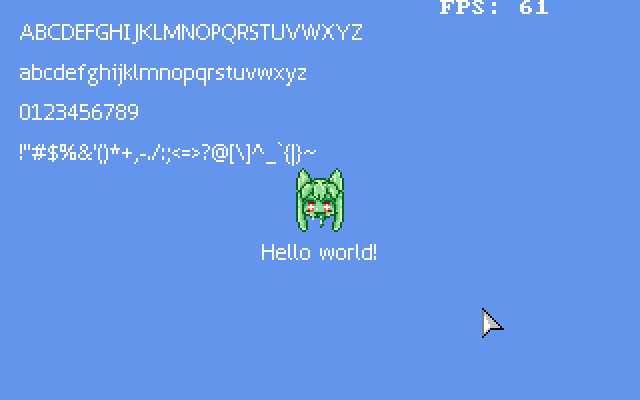
How it looks like (including the game loop):
You can either use Pascal or C++ to accomplish this
library Game;{$Mode ObjFPC}{$J-}{ Switch off assignments to typed constants }uses Logger, WasmMemMgr, VGA;procedureinit;begin initMemMgr; initBuffer;end;procedureafterInit;begin writeLog('Hello from hello_minimal!')end;procedureupdate;beginend;proceduredraw;begin cls($FF6495ED); vgaFlushend;exports init, afterInit, update, draw;begin{ Starting point is intentionally left empty }end.
#include"pascal_compat.hpp"#include"logger.hpp"#include"vga.hpp"#include"wasm_heap.hpp"exportvoidinit(){initBuffer();}exportvoidafterInit(){writeLog("Hello from hello_minimal!");}exportvoidupdate(){}exportvoiddraw(){cls(0xFF6495ED);vgaFlush();}
The difference here is that when exporting functions from C++, you also have to declare them in the compile script. Something like this: EXPORTED_FUNCTIONS=_init,_afterInit,_update,_draw
Both examples can be compiled with the provided compile.ts or compile_demo.ts, depending on which target you want to develop: a standalone game or a demo project for Posit-92
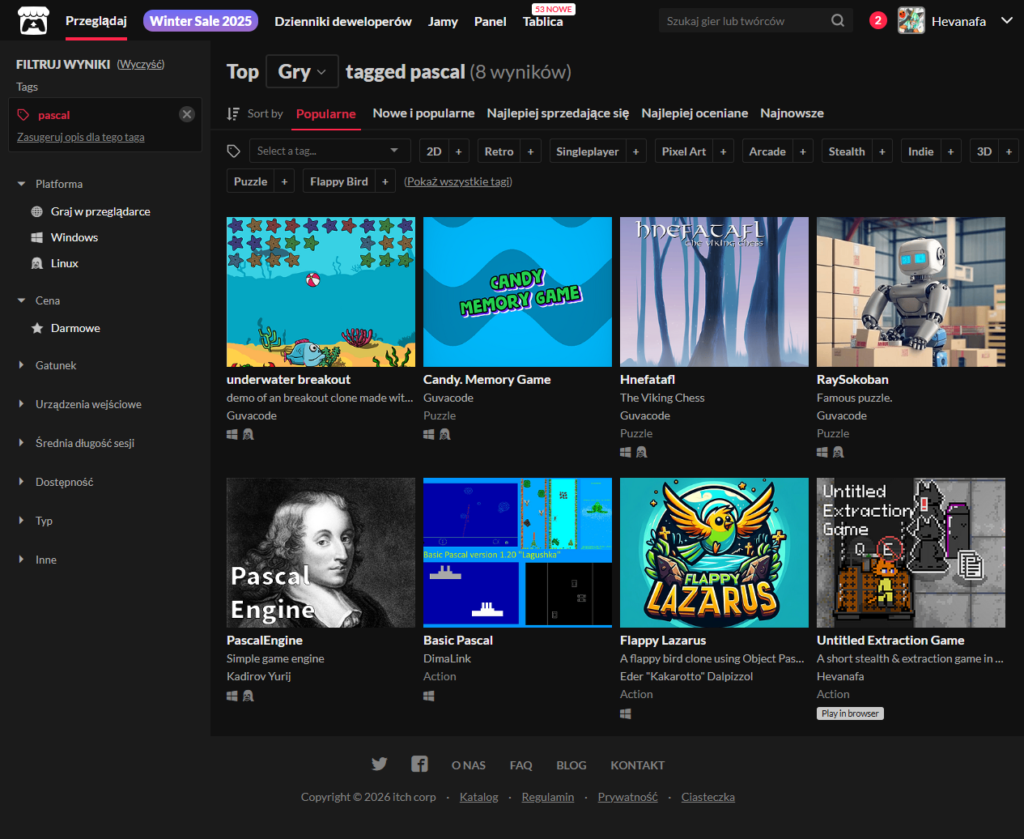
At the time of writing, there’s only a single browser game that uses Pascal on itch.io, while the rest is only for desktop, which you can visit on itch.io
There’s only a handful of submissions and contributors to the Pascal tag on itch.io:
4 games by Guvacode
1 by Kadirov Yurij
1 by DimaLink
1 by Eder “Kakarotto” Dalpizzol
and 1 by Hevanafa (me!)
Do you know what this means?
Yes, I’m a self-proclaimed pioneer in this field
I have to thank the Free Pascal team that made all of this possible. Without them, programming in Pascal targeting WebAssembly wouldn’t be possible
I also have hopes that, someday, my game engine Posit-92 can be listed on the “Engines & tools used”, which you can find using this URL format: https://itch.io/game/tools/[your_game_id]
This document was written in order to understand easing chains in immediate mode, i.e. without object-oriented tween systems like what Phaser JS (scene.tweens), Unity (DOTween), and Roblox (TweenService) have
This approach can be applied to any other frameworks that don’t have any built-in tweening library included, e.g. PICO-8, TIC-80, SDL2, and Raylib
If you wish to skip reading & see the demonstration right away, here’s the game in action:
It has the [started], [complete] and the [index in the chain], and also the variables to interpolate later Don’t forget to initialise the TLerpTimer
Update logic
Update logic only handles state transition
Given this example:
if isChainStarted andnot isChainComplete thenbegin{ Handle state transition }if isLerpComplete(chainLerpTimer, getTimer) thenbegincase chainIdx of0: begin{ Initialise your state here }end;1: begin{ Same pattern as index 0 } inc(chainIdx)end;2: inc(chainIdx); { Immediate transition, no setup needed }3: begin{ Handle chain onComplete } isChainStarted := false; isChainComplete := true;end;end;end;end;
This shows the transition from chainIdx 0 to 1
Your state initialisation in case chainIdx of 0 can be structured like this:
perc := getLerpPerc(chainLerpTimer, getTimer);x := lerpEaseOutSine(startX, endX, perc); { current X }startX := trunc(x);endX := endX - 50;initLerp(chainLerpTimer, getTimer, 1.0);inc(chainIdx)
Basically:
Initialise the state variables,
Initialise the TLerpTimer associated with it,
Increment chain index, or
Store the final state somewhere and assign complete
Movement logic
This can be handled when the easing chain is not in progress
This condition can be used to check if it’s still in progress:
if isChainStarted andnot isChainComplete then
or shorter:
ifnot isChainStarted then
An example here is for when you want to move Blinky:
ifnot isChainStarted thenbeginif isKeyDown(SC_W) then blinkyY := blinkyY - Velocity * dt;if isKeyDown(SC_S) then blinkyY := blinkyY + Velocity * dt;if isKeyDown(SC_A) then blinkyX := blinkyX - Velocity * dt;if isKeyDown(SC_D) then blinkyX := blinkyX + Velocity * dt;end;
Render logic
This should not have side effects, i.e. not altering the state variables
You can use the [started] variable to see if the easing chain is still going
if isChainStarted thenbegincase chainIdx of2: begin{ Current state --> apply easing --> handle rendering } perc := getLerpPerc(chainLerpTimer, getTimer); x := lerpEaseOutSine(startX, endX, perc); angle := lerpEaseOutSine(startAngle, endAngle, perc); sprRotate(imgBlinky, trunc(x) + 8, trunc(blinkyY) + 8, angle);end;elsebegin perc := getLerpPerc(chainLerpTimer, getTimer); x := lerpEaseOutSine(startX, endX, perc); spr(imgBlinky, trunc(x), trunc(blinkyY));endend;endelse spr(imgBlinky, trunc(blinkyX), trunc(blinkyY));
Basically:
If the chain is still ongoing, move the sprite normally
An exception is when the chainIdx has the number 2, it’s moving and rotating at the same time
Otherwise, the else branch handles when the chain is not yet started or is already completed: just render the sprite normally
State Flow
(Not started)
  |
  v
Button press: call beginEasingChain
  |
  v
Running: chainIdx 0, 1, 2
  |
  v
Complete when chainIdx reaches 3
  |
  v
(Finished): isChainComplete is true, can move with WASD
This tutorial will guide you through how to setup Pascal targeting WebAssembly without using Pas2JS — pure Pascal code directly compiled to WASM
Why does this guide exist? It’s because I find so many outdated documentations — many of them are from 2021, and also they mentioned wasi instead of wasm32
What we’ll have for the compilation target in this series is wasm32-embedded, not wasi. The difference is that wasi is mainly for desktop & offline systems that has direct file I/O operations and is some sort of bootstrapped framework, while wasm32 is for HTML5 games on the web and has the “close to metal” feeling
What you’ll achieve by the end of the tutorial:
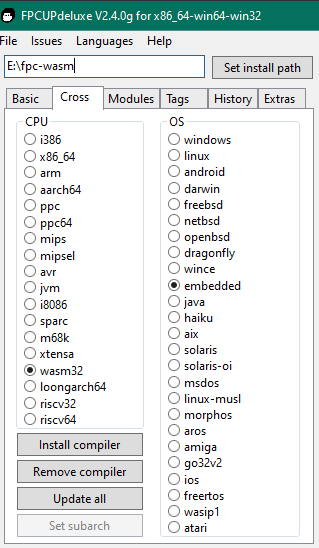
FPC compiler setup for wasm32-embedded
Compile your first Pascal –> Wasm binary
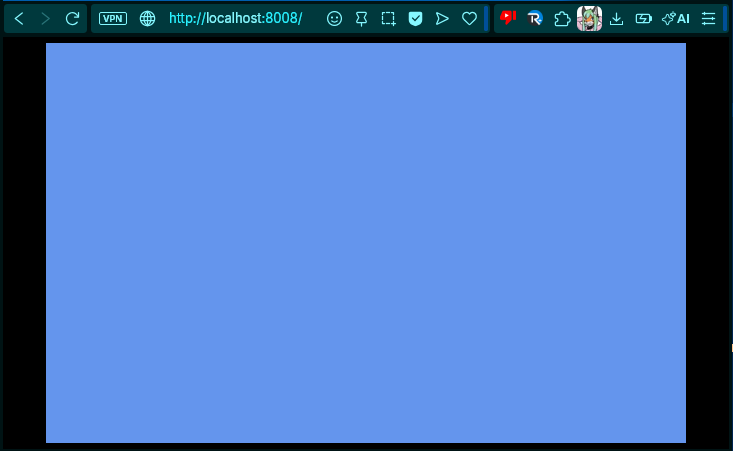
See a coloured rectangle on an HTML canvas
Understand the JS glue code
Prerequisites
I’m using a Windows 10 (64-bit) machine to build this. It’s possible to use Mac OS or Linux, but this guide is focused on Windows
Other than that:
Basic Pascal knowledge (knowing some other languages can help too)
Text editor (I recommend VSCode)
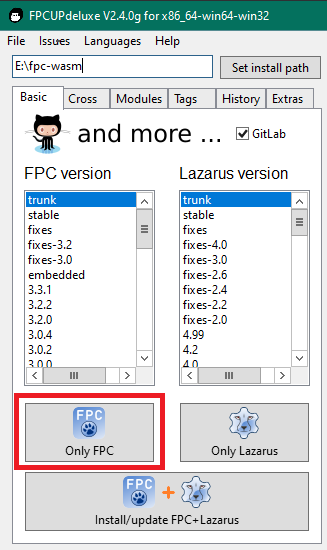
Compiler Setup
We’ll use fpcupdeluxe because it handles the cross-compilation setup automatically. Manual FPC setup for WebAssembly is painful, trust me